Step 1
Link your Mac
Install Terminal Gate on macOS and pair your iPhone in a secure handshake.
An encrypted channel is created during pairing. Session credentials stay scoped to your device pair and can be revoked instantly.
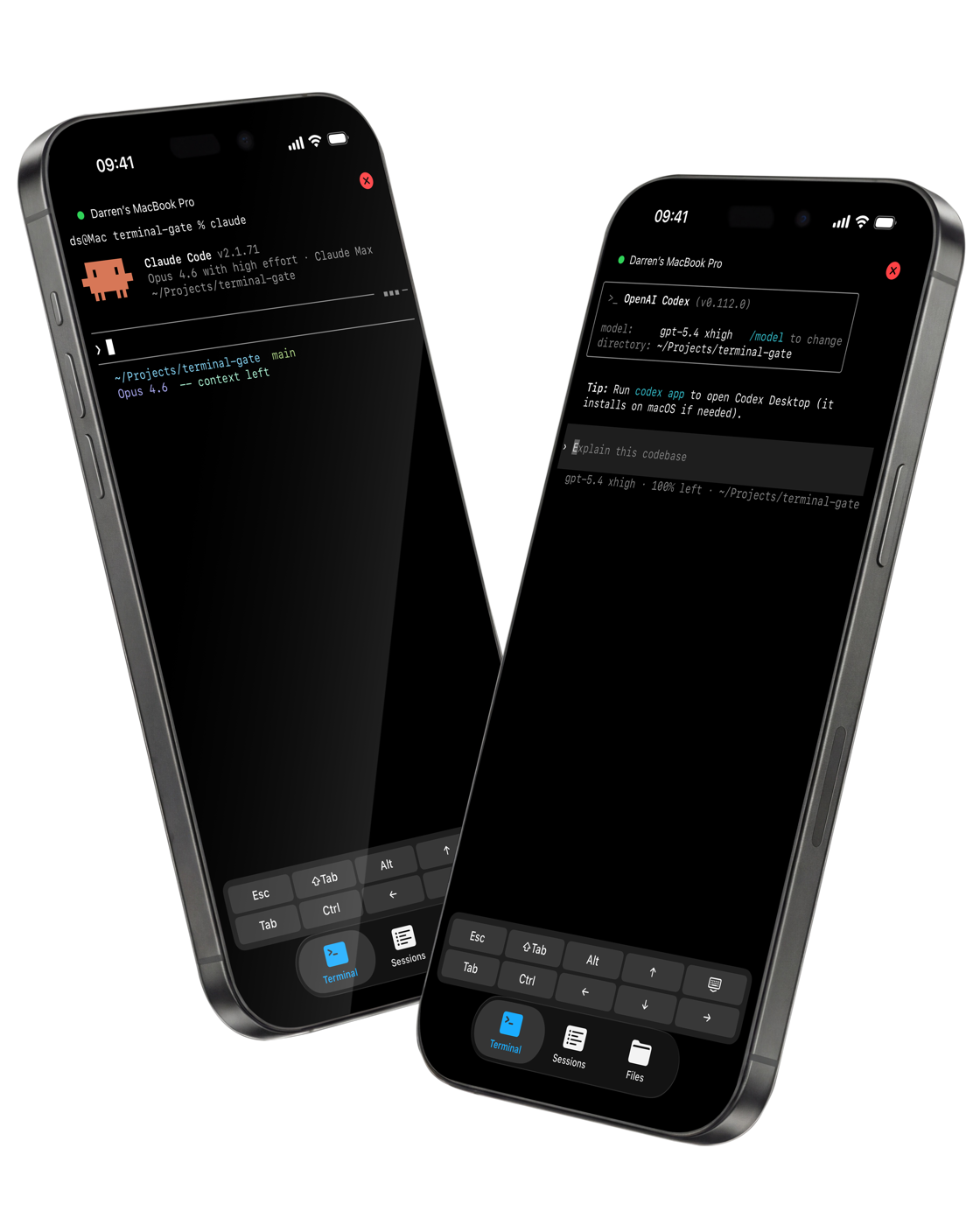
Use Claude Code, Codex, and more from iPhone while your Mac runs everything on real local files.
<150ms
target session responsiveness
1-tap
connect flow from phone
100%
local-file context preserved
Built for modern terminal workflows
How it works
A focused workflow that keeps your coding agents connected to the same local project tree.
Install Terminal Gate on macOS and pair your iPhone in a secure handshake.
An encrypted channel is created during pairing. Session credentials stay scoped to your device pair and can be revoked instantly.
Launch your existing folder right from iPhone with the same shell profile.
No sync clones or mirrored repos, just your real files and git state.
Use Claude Code, Codex, and other CLI agents exactly as you do on desktop.
Commands run on your Mac while your phone becomes the control surface.
Core capabilities
Designed for speed, control, and trust when your terminal session leaves your desk.
Responsive command execution and streaming terminal updates that feel native on mobile.
Agents interact with the exact files on your Mac, including uncommitted changes and hidden config.
Your keystrokes never touch our servers. Device-paired encryption, time-scoped tokens, and one-tap session revocation controls.
Built to run Claude Code, Codex, and flexible CLI automation without custom wrappers.
Security
Terminal Gate is built on the principle that your code should never leave your Mac unprotected. Every layer is designed to keep your sessions private.
Every session runs through a TLS 1.3 tunnel between your iPhone and your Mac.
Relay servers route traffic but cannot decrypt your keystrokes, output, or file contents.
A cryptographic handshake ties each session to your specific hardware identity.
No passwords to phish — authentication is bound to the device pair itself.
Session tokens auto-expire so there are no long-lived credentials to steal.
Revoke any active session with one tap from either device.
No logs, no replays, nothing persists on our servers after your session ends.
Your terminal history and file contents exist only on your Mac.
Why Terminal Gate
Compared with improvised setups, Terminal Gate removes fragile steps and keeps your workflow intact.
Category
Setup
Terminal Gate
One paired setup across Mac and iPhone
Workaround stack
Manual SSH keys, port forwarding, and jumping between multiple apps
Category
Local context
Terminal Gate
Runs directly against local project files
Workaround stack
Detached clones or limited file browser shells
Category
Agent compatibility
Terminal Gate
Claude Code, Codex, and CLI agents out of the box
Workaround stack
Partial compatibility and terminal rendering quirks
Category
Security
Terminal Gate
End-to-end encrypted, device-paired sessions with automatic token expiry
Workaround stack
Long-lived keys and broad host-level access
Pricing
Pick the plan that fits your setup. Every plan includes all features — just choose how many Macs you need.
Solo
1 device
Duo
2 devices
Multi
Best value3+ devices
All plans include
A device is a single Mac running Terminal Gate. Multiple terminals and CLI agents on one Mac count as one device.
FAQ
No. Commands execute on your Mac. Terminal Gate gives iPhone control over that existing local environment.
Yes. Terminal Gate is designed for CLI agent workflows and supports switching between tools in the same session.
Every session runs through a TLS 1.3 tunnel between your iPhone and your Mac. Our relay servers route traffic but cannot decrypt it. Authentication is tied to a hardware-level crypto handshake, and session tokens auto-expire so there are no long-lived credentials to steal.
You can revoke any paired session from your Mac immediately. Future versions will add additional device approval controls.
Yes! Create your account now to get early access. We're onboarding new users and will notify you as soon as your account is active.
No. The only limit is your Mac itself. Run Claude Code, Codex, and other CLI agents at the same time if you want!